

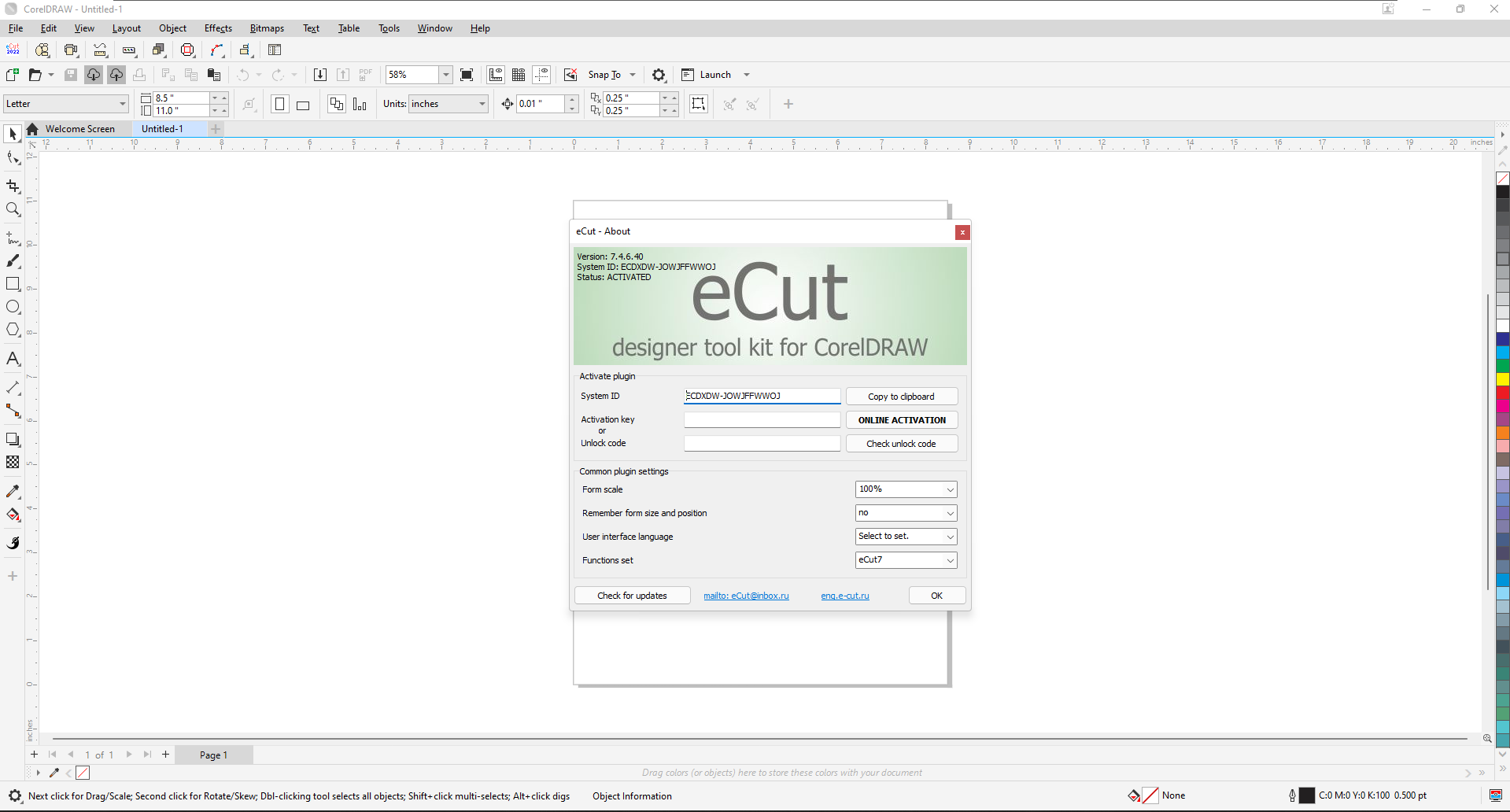
🇮🇷 معرفی پلاگین eCut 7.4.11.54
eCut یکی از قدرتمندترین و محبوبترین پلاگینهای CorelDRAW است که توسط تیم eCut توسعه یافته و بیش از ۴۰ عملکرد مختلف را به این نرمافزار اضافه میکند . این پلاگین برای طراحانی که با دستگاههای برش وینیل، CNC و لیزر کار میکنند، یک ابزار ضروری محسوب میشود .
نسخه 7.4.11.54 در تاریخ ۱۰ سپتامبر ۲۰۲۵ منتشر شده است و شامل بهروزرسانیهای متعددی از جمله بهبود عملکرد ایزومتری و رفع باگهای مختلف میباشد .
قابلیتهای اصلی eCut 7.4.11.54
این پلاگین طیف گستردهای از قابلیتهای تخصصی را در اختیار کاربران CorelDRAW قرار میدهد که مهمترین آنها عبارتند از :
تودرتو و بهینهسازی (Nesting)
- تودرتو هوشمند (True Shape Nesting): چیدمان خودکار و بهینه اشکال بر روی ورق مواد برای صرفهجویی حداکثری در مصرف مواد
- تودرتو مستطیلی (Rectangle Nesting): چیدمان بهینه اشکال به صورت مستطیلی با فاصله صفر
- چندین کانتینر: امکان تعریف چندین ورق یا صفحه مجزا برای تودرتو
- پیشنمایش تعاملی: مشاهده و ویرایش دستی چیدمان قبل از اعمال نهایی
کار با پلاتر و برش
- خروجی به پلاتر (Cut/Plot): ارسال مستقیم طرحها به پلاتر با الگوریتمهای بهینهسازی مسیر
- برش کانتور (Contour Cutting): برش دقیق اطراف تصاویر چاپ شده با استفاده از نشانههای ثبت
- خطوط ویترینگ (Weeding Lines): ایجاد خودکار خطوط راهنما برای جداسازی آسان برچسبها
- بهینهسازی مسیر (Route Optimization): کوتاهترین مسیر ممکن برای حرکت ابزار برش
- پارامتر چرخش تیغه: قابلیت چرخش تیغه قبل از شروع برش برای دقت بیشتر
محاسبات مهندسی
- محیط (Perimeter): محاسبه دقیق محیط اشکال انتخاب شده
- مساحت (Area): محاسبه مساحت اشکال بسته
- هزینه (Cost): محاسبه هزینه مواد و خدمات بر اساس محیط یا مساحت
- زمان ماشین (Machine Time): تخمین دقیق زمان برش پلاتر – یکی از ویژگیهای منحصربهفرد
طراحی حروف و تابلوهای نورانی
- LED: طراحی و محاسبه تابلوهای LED با کاتالوگ داخلی
- نئون (Neon): طراحی و شبیهسازی تابلوهای نئونی
- باز شدن لبه (Edge Roll): ساخت خودکار دیوارههای جانبی حروف برجسته
- ساخت جعبه (SignBox): طراحی جعبههای تابلوهای نورانی از مواد کامپوزیت
ابزارهای CAD و طراحی
- ایزومتری (Isometric): تبدیل اشکال به نمای ایزومتریک
- آینه (Mirror): آینهسازی اشکال
- خط مرکزی (Center Line): رسم خط مرکزی اشکال
- اتصال مسیرهای باز: اتصال خودکار مسیرهای باز به یک منحنی واحد
- سادهسازی منحنی (Reduce Nodes): کاهش نقاط اضافی منحنیها
- خروجی DXF: خروجی گرفتن از اشکال به فرمت DXF برای دستگاههای CNC
بهبودهای نسخه 7.4.11.54
- بهبود عملکرد ایزومتری: بهروزرسانی و بهبود عملکرد ابزار ایزومتری
- پارامترهای تودرتو بر اساس رنگ: امکان تنظیم پارامترهای تودرتو برای رنگهای خاص
- رفع باگهای متعدد: رفع مشکلات عملکردی در نسخههای قبلی
- رفع باگ نسخه Perpetual: رفع مشکل در نسخه دائمی
مزایای استفاده از eCut 7.4.11.54
- ✅ بیش از ۴۰ عملکرد تخصصی برای طراحی و برش
- ✅ صرفهجویی قابلتوجه در مواد اولیه با تودرتوی هوشمند
- ✅ کاهش زمان تولید با بهینهسازی مسیر ابزار
- ✅ یکپارچگی کامل با CorelDRAW
- ✅ پشتیبانی از تمام نسخههای CorelDRAW از X3 تا ۲۰۲۵
- ✅ ابزارهای حرفهای برای تخمین هزینه و زمان
- ✅ مناسب برای صنایع تابلوسازی، چاپ وینیل، CNC و لیزر
نسخه کرک شده eCut 7.4.11.54
ما نسخه کامل و کرک شده پلاگین eCut 7.4.11.54 را در اختیار داریم. این نسخه:
- ✔️ کاملاً فعال و بدون نیاز به لایسنس
- ✔️ تمام قابلیتهای نسخه اصلی را دارد
- ✔️ بدون محدودیت در عملکرد
- ✔️ آفلاین و دائمی
ارتباط با ما
اگر به دریافت نسخه کرک شده eCut 7.4.11.54 علاقهمند هستید، از طریق یکی از راههای ارتباطی زیر با ما پیام دهید:
📌 تلگرام / Telegram:
🇬🇧 English Version
Introduction to eCut 7.4.11.54
eCut is one of the most powerful and popular plugins for CorelDRAW, developed by the eCut team, adding over 40 different functions to the software . This plugin is an essential tool for designers working with vinyl cutters, CNC machines, and laser cutters .
Version 7.4.11.54 was released on September 10, 2025 and includes numerous updates including improved isometric function and various bug fixes .
Main Features of eCut 7.4.11.54
This plugin offers a wide range of specialized capabilities to CorelDRAW users, the most important of which include :
Nesting and Optimization
- True Shape Nesting: Automatic and optimal arrangement of shapes on sheet material for maximum material savings
- Rectangle Nesting: Optimal rectangular arrangement of shapes with zero distance
- Multiple Containers: Ability to define multiple sheets or pages for nesting
- Interactive Preview: View and manual editing of layout before final application
Plotter and Cutting Workflow
- Cut/Plot: Direct design output to plotter with path optimization algorithms
- Contour Cutting: Precise cutting around printed images using registration marks
- Weeding Lines: Automatic creation of guide lines for easy sticker separation
- Route Optimization: Shortest possible path for cutting tool movement
- Blade Rotation Parameter: Blade rotation before cutting start for better precision
Engineering Calculations
- Perimeter: Accurate calculation of selected shape perimeters
- Area: Calculation of closed shape areas
- Cost: Material and service cost estimation based on perimeter or area
- Machine Time: Accurate plotter cutting time estimation – a unique feature
Sign Design and Light Boxes
- LED: LED sign design and calculation with built-in catalog
- Neon: Neon sign design and simulation
- Edge Roll: Automatic construction of channel letter side walls
- SignBox: Light box design from composite materials
CAD and Design Tools
- Isometric: Shape conversion to isometric view
- Mirror: Shape mirroring
- Center Line: Drawing shape center lines
- Connect Open Paths: Automatic connection of open paths to a single curve
- Reduce Nodes: Reduction of excessive curve points
- DXF Export: Shape export to DXF format for CNC devices
Version 7.4.11.54 Improvements
- Improved Isometric Function: Updated and improved isometric tool performance
- Color-Based Nesting Parameters: Ability to set nesting parameters for specific colors
- Multiple Bug Fixes: Fixes for various performance issues in previous versions
- Perpetual Version Fix: Bug fix for perpetual version users
Benefits of Using eCut 7.4.11.54
- ✅ Over 40 specialized functions for design and cutting
- ✅ Significant material savings with intelligent true shape nesting
- ✅ Reduced production time with optimized cutting paths
- ✅ Full integration with CorelDRAW
- ✅ Support for all CorelDRAW versions from X3 to 2025
- ✅ Professional cost and time estimation tools
- ✅ Suitable for sign making, vinyl printing, CNC, and laser industries
eCut 7.4.11.54 Cracked Version
We have the full cracked version of eCut 7.4.11.54 plugin available. This version:
- ✔️ Fully activated with no license required
- ✔️ Includes all features of the original version
- ✔️ No limitations in functionality
- ✔️ Offline and permanent activation
Contact Us
If you are interested in receiving the cracked version of eCut 7.4.11.54, please contact us through one of the following channels:
📌 Telegram: