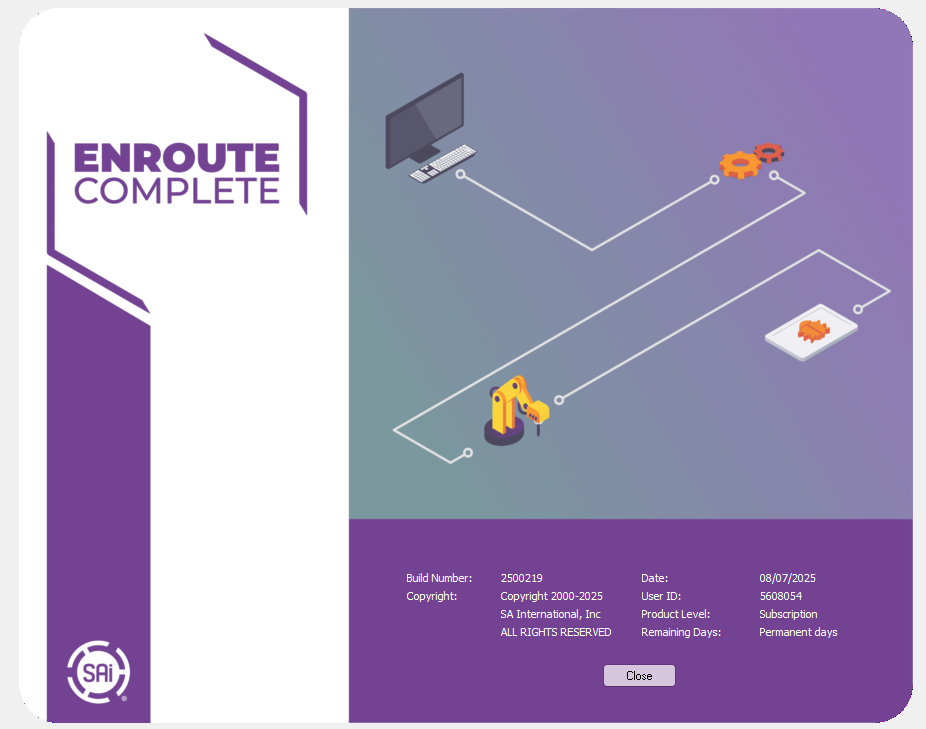

🇮🇷 معرفی نرمافزار SAi EnRoute 25
EnRoute یکی از قدرتمندترین و محبوبترین نرمافزارهای CAD/CAM برای دستگاههای CNC (روتر، لیزر، پلاسما، واترجت و تیغههای برش) است که توسط شرکت SAi (SA International) توسعه یافته است [citation:2]. این نرمافزار ترکیبی منحصربهفرد از قابلیتهای طراحی ۲ بعدی، ۲٫۵ بعدی و ۳ بعدی به همراه ابزارهای پیشرفته مسیرابزار (Toolpathing) را در اختیار کاربران قرار میدهد [citation:2].
نسخه 25 جدیدترین نسخه این نرمافزار است که با بهروزرسانیهای متعدد در زمینه ابزارهای طراحی، مسیرابزار و بهبود عملکرد عرضه شده است. این نرمافزار در صنایع چوب، ساخت تابلوهای تبلیغاتی، تولید قطعات فلزی، کابینتسازی و بسیاری از کاربردهای دیگر مورد استفاده قرار میگیرد [citation:2][citation:5].
خانواده محصولات EnRoute
این نرمافزار در نسخههای مختلفی عرضه میشود که هر کدام برای کاربردهای خاصی طراحی شدهاند [citation:2][citation:5][citation:10]:
- EnRoute Complete: نسخه کامل برای تمام نیازهای CNC شامل طراحی ۲ بعدی، ۲٫۵ بعدی و ۳ بعدی
- EnRoute Plus: نسخه حرفهای برای پروژههای ۲ بعدی و ۲٫۵ بعدی
- EnRoute Design: نسخه طراحی برای ایستگاههای کاری ثانویه بدون نیاز به خروجی تولید
- EnRoute Fabrication: نسخه مخصوص دستگاههای پلاسما، واترجت و لیزر
- EnRoute for Flexi: نسخه تخصصی برای کاربران Flexi
قابلیتهای اصلی SAi EnRoute 25
این نرمافزار طیف گستردهای از قابلیتهای طراحی و مسیرابزار را در اختیار کاربران قرار میدهد که مهمترین آنها عبارتند از:
ابزارهای طراحی (Design Tools)
- طراحی آزاد: امکان طراحی با قلم دیجیتال یا ماوس [citation:2]
- ابزارهای ترسیم کامل: خطوط، منحنیهای Bezier، دایرهها، مستطیلها و کمانها [citation:2]
- ویرایش اشکال: ابزارهای ارهموزاییک (Jigsaw) و اتصال (Welding) [citation:2]
- طراحی ۳ بعدی: قابلیت Revolve، Spin، Extrude، Sweep Two Rails و Chamfer [citation:2]
- ایجاد برجستگیهای ۳ بعدی (3D Reliefs): طراحی و ویرایش برجستگیهای سهبعدی [citation:2]
- تبدیل تصویر به خطوط: موتور قدرتمند برداریسازی (Vectorization) برای تبدیل تصاویر به خطوط قابل برش [citation:2]
ابزارهای مسیرابزار (Toolpathing)
- مسیرابزار مسیریابی و کانتور: Routing و Open Contour Offset [citation:2]
- حکاکی و خطکشی: Engraving و Scribing [citation:2]
- پرکنندههای مختلف: Hatch، Island و Spiral Fills [citation:2]
- پشتیبانی از چندین ابزار: استفاده از چندین ابزار در یک مسیرابزار [citation:2]
- انجمن خودکار ابزارها: بروزرسانی خودکار مسیرابزارها با تغییرات هندسی [citation:2]
قابلیتهای جدید نسخه ۲۵
- مسیرابزار رزوهزنی پیشرفته (Advanced Threading Toolpath): اعمال مسیرابزار رزوهزنی به چندین هندسه به طور همزمان [citation:5]
- بهبود سفارش مسیرابزار: امکان سفارش ورودیها به مواد با پارامتر جدید “Order by Entry/Pierce” [citation:5]
- ویرایش شهودی ورودی/خروجی: تغییر اندازه و زاویه ورودی/خروجی با کلیک و کشیدن [citation:5]
- ماشینکاری دوطرفه (Double-Sided Machining): پشتیبانی از ماشینکاری دوطرفه با گزینههای انتخاب جهت چرخش، نوع و اندازه رولپلاک [citation:5]
- پیشنمایش بافتها در زمان واقعی: مشاهده نتایج بافت در حالت ۳D Preview قبل از برش [citation:11]
- بهبود ابزار پخزنی (Chamfer Tool): قابلیت اعمال در Pocketing، رزوهها و Offsets با تنظیم عمق برای برشهای تمیزتر [citation:11]
- گزارشهای جامع PDF: تولید گزارشهای دقیق PDF حاوی زمان تخمینی برش، لیست ابزارها و بارکدها [citation:5]
- درگ اند دراپ فایلها: باز کردن فایلهای ER با کشیدن و رها کردن در محیط نرمافزار [citation:5]
- خروجی Hot Folder به صورت DXF لایهدار: ارسال طرحها به Hot Folder به صورت فایلهای DXF لایهدار [citation:5]
قابلیتهای تودرتو (Nesting) و خروجی
- چهار الگوریتم تودرتو: موقعیتیابی خودکار قطعات برای صرفهجویی در مواد با True Shape Nesting [citation:2]
- Nesting Organizer: تعیین تعداد و اولویت قطعات قبل از تودرتو [citation:2]
- شبیهسازی قبل از خروجی: بررسی و شبیهسازی ۲ بعدی و ۳ بعدی قبل از برش نهایی [citation:2]
- تولید فایل خروجی جداگانه برای هر ابزار: ایجاد خودکار فایلهای خروجی برای هر ابزار در سیستمهای بدون تعویضکننده خودکار [citation:5]
مزایای استفاده از SAi EnRoute 25
- ✅ کاهش چشمگیر زمان تولید با مسیرابزار خودکار و الگوریتمهای هوشمند
- ✅ افزایش دقت برش با ابزارهای پیشرفته شبیهسازی و تأیید
- ✅ صرفهجویی در مواد اولیه با الگوریتمهای پیشرفته تودرتو (Nesting)
- ✅ یکپارچگی کامل بین طراحی و تولید (CAD/CAM)
- ✅ قابلیت طراحی برجستگیهای ۳ بعدی و بافتهای متنوع بدون نیاز به نرمافزار جداگانه
- ✅ پشتیبانی از انواع دستگاههای CNC (روتر، لیزر، پلاسما، واترجت و تیغههای برش)
- ✅ رابط کاربری ساده و قابل فهم با گردش کار منطقی
نسخه کرک شده SAi EnRoute 25
ما نسخه کامل و کرک شده نرمافزار SAi EnRoute 25 را در اختیار داریم. این نسخه:
- ✔️ کاملاً فعال و بدون نیاز به لایسنس
- ✔️ تمام قابلیتهای نسخه اصلی را دارد
- ✔️ بدون محدودیت در عملکرد
- ✔️ آفلاین و دائمی
ارتباط با ما
اگر به دریافت نسخه کرک شده SAi EnRoute 25 علاقهمند هستید، از طریق یکی از راههای ارتباطی زیر با ما پیام دهید:
📌 تلگرام / Telegram:
🇬🇧 English Version
Introduction to SAi EnRoute 25
EnRoute is one of the most powerful and popular CAD/CAM software solutions for CNC machines (routers, lasers, plasma, waterjet, and knife cutters), developed by SAi (SA International) [citation:2]. This software offers a unique combination of 2D, 2.5D, and 3D design capabilities along with advanced toolpathing features [citation:2].
Version 25 is the latest release of this software, featuring numerous updates in design tools, toolpathing, and performance improvements. This software is used in woodworking, sign making, metal fabrication, cabinetry, and many other applications [citation:2][citation:5].
EnRoute Product Family
This software is available in different versions, each designed for specific applications [citation:2][citation:5][citation:10]:
- EnRoute Complete: Full version for all CNC needs including 2D, 2.5D, and 3D design
- EnRoute Plus: Professional version for 2D and 2.5D projects
- EnRoute Design: Design version for secondary workstations without production output
- EnRoute Fabrication: Specialized version for plasma, waterjet, and laser machines
- EnRoute for Flexi: Specialized version for Flexi users
Main Features of SAi EnRoute 25
This software offers a wide range of design and toolpathing capabilities to users, the most important of which include:
Design Tools
- Freehand Drawing: Design with stylus or mouse [citation:2]
- Complete Drawing Tools: Lines, Bezier curves, circles, rectangles, squares, and arcs [citation:2]
- Shape Editing: Jigsaw and welding tools [citation:2]
- 3D Design: Revolve, Spin, Extrude, Sweep Two Rails, and Chamfer [citation:2]
- 3D Relief Creation: Design and editing of 3D reliefs [citation:2]
- Image to Vector Conversion: Powerful vectorization engine for converting images to cut-ready lines [citation:2]
Toolpathing Tools
- Routing and Contour: Routing and Open Contour Offset [citation:2]
- Engraving and Scribing: Engraving and Scribing tools [citation:2]
- Various Fills: Hatch, Island, and Spiral Fills [citation:2]
- Multiple Tool Support: Multiple tools per toolpath [citation:2]
- Automatic Toolpath Association: Automatic recalculation with geometry changes [citation:2]
New Features in Version 25
- Advanced Threading Toolpath: Apply threading toolpaths to multiple geometries simultaneously [citation:5]
- Optimized Toolpath Ordering: Order entries into material with new “Order by Entry/Pierce” parameter [citation:5]
- Intuitive Entry/Exit Editing: Edit entry/exit size and angle by clicking and dragging [citation:5]
- Double-Sided Machining: Support with flip direction, dowel hole type, and dowel size options [citation:5]
- Real-Time Texture Preview: Preview results in 3D Preview mode before cutting [citation:11]
- Enhanced Chamfer Tool: Apply to pocketing, threads, and offsets with depth adjustment for cleaner cuts [citation:11]
- Comprehensive PDF Reports: Generate detailed PDF reports with cut time estimation, tool lists, and barcodes [citation:5]
- Drag-and-Drop File Opening: Open ER files by dragging and dropping into EnRoute [citation:5]
- Hot Folder Export as Layered DXF: Send designs to hot folder as layered DXF files [citation:5]
Nesting and Output Features
- Four Nesting Algorithms: Automatic part positioning for optimal material savings with True Shape Nesting [citation:2]
- Nesting Organizer: Specify number and priority of parts before nesting [citation:2]
- Pre-Output Simulation: 2D and 3D simulation before final cutting [citation:2]
- Individual Output Files: Automatic output file generation for each tool in systems without automatic tool changers [citation:5]
Benefits of Using SAi EnRoute 25
- ✅ Significant production time reduction with automatic toolpathing and intelligent algorithms
- ✅ Increased cutting accuracy with advanced simulation and verification tools
- ✅ Material savings with advanced nesting algorithms
- ✅ Full integration between design and production (CAD/CAM)
- ✅ 3D relief and texture design capabilities without separate software
- ✅ Support for various CNC machines (routers, lasers, plasma, waterjet, knife cutters)
- ✅ User-friendly interface with logical workflow
SAi EnRoute 25 Cracked Version
We have the full cracked version of SAi EnRoute 25 software available. This version:
- ✔️ Fully activated with no license required
- ✔️ Includes all features of the original version
- ✔️ No limitations in functionality
- ✔️ Offline and permanent activation
Contact Us
If you are interested in receiving the cracked version of SAi EnRoute 25, please contact us through one of the following channels:
📌 Telegram: